
To update credit card information, please get started by logging into your control panel. Once logged in, there are two ways to update your credit card and payment information:
- Update Your Card in the Control Panel from Main Dashboard
- Update Your Card in the Billing & Payments Dashboard
Update Your Card in the Control Panel from Main Dashboard
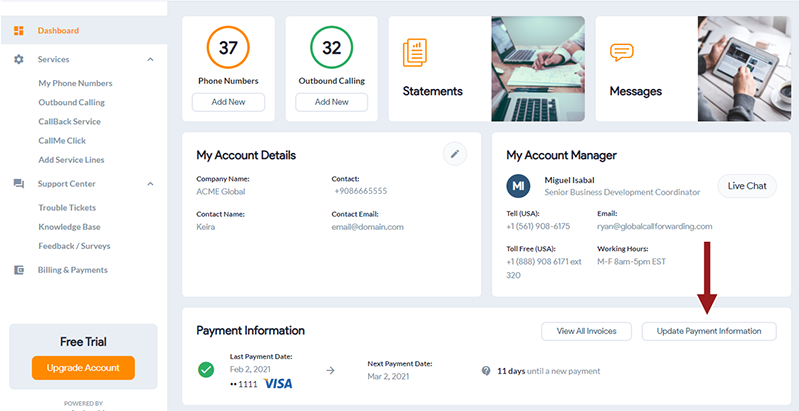
1. On the bottom right-hand side of the page, click Update Payment Information.
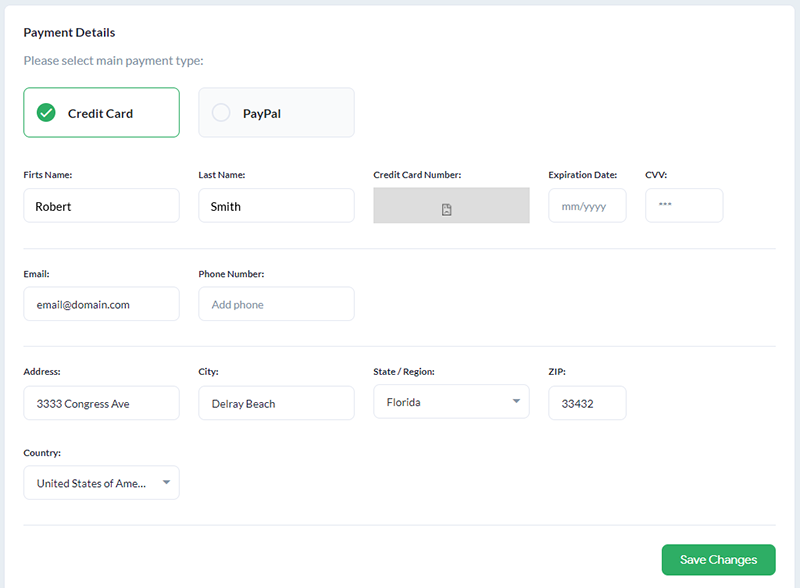
2. Enter your new payment information and click Save Changes.
You can also contact us to update your credit card information.
Update Your Card in the Billing & Payments Dashboard
You can also manage your card details in the Billing & Payments section of your control panel. The new card applies to your next scheduled invoice.
1. Log in to your control panel.
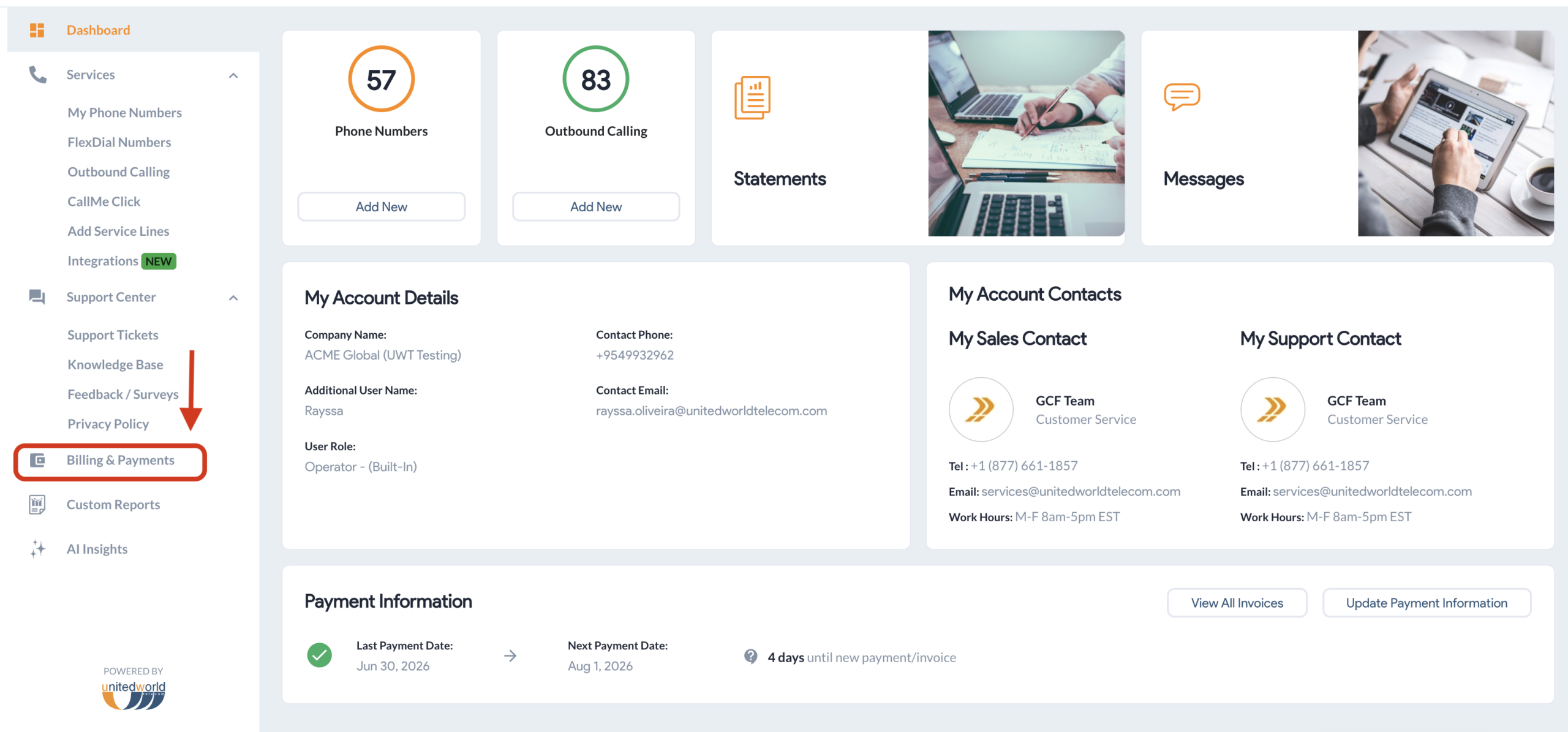
2. In the left-hand menu, click Billing & Payments.
3. On the Dashboard, scroll down until you see Payment Instructions.
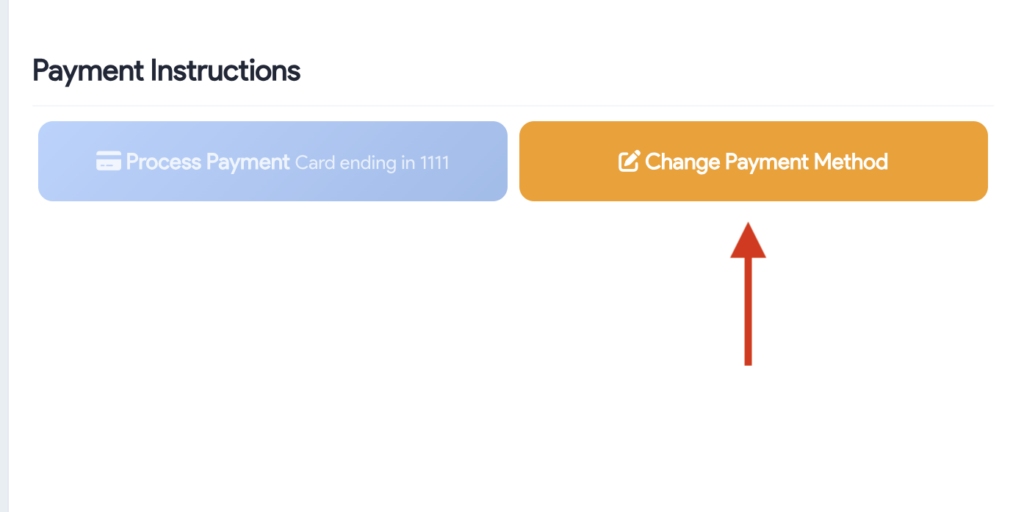
4. Under Payment Instructions, click Change Payment Method.
5. Enter your new card details and click Save Changes.