
Your monthly invoice is charged automatically to the credit card or PayPal account on file, which keeps your account in good standing. When you need to pay a balance manually or change the payment method we charge, you can do both from the Billing & Payments section of your control panel.
Pay an Outstanding Balance
1. Log in to your control panel.
2. In the left-hand menu, click Billing & Payments.
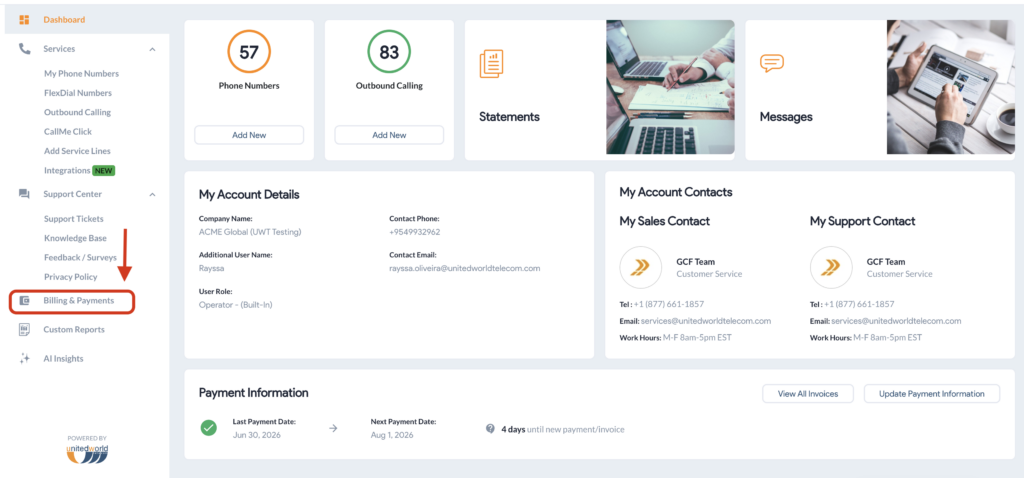
3. On the Dashboard, scroll down until you see Payment Instructions.
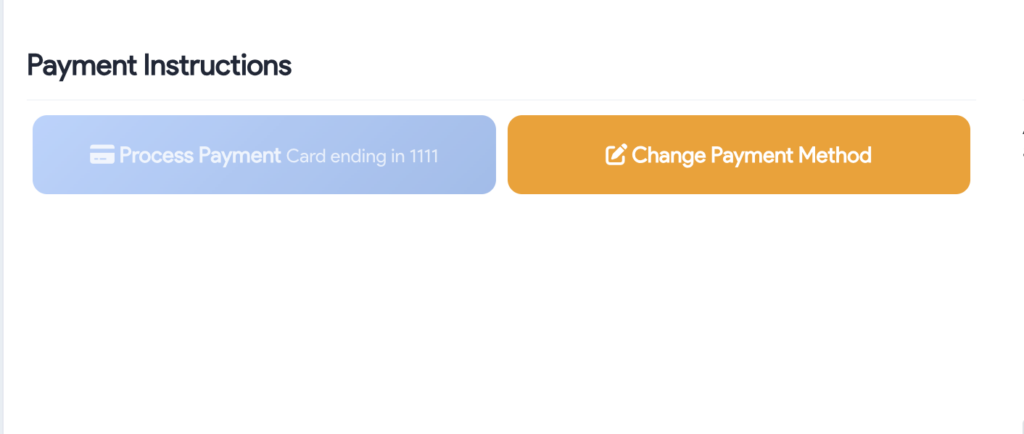
4. Under Payment Instructions, click Process Payment.
Change Your Payment Method
1. In Billing & Payments, click Change Payment Method under Payment Instructions.
2. Enter your new card details and click Save Changes, or select the PayPal option and click Activate PayPal Autopay.
Full instructions for both paths are in How to Update Payment Method.