
Voicemail can be accessed from the control panel and it can be forwarded to email. Here are the steps to access voicemail recordings.
1. Log in to your control panel.
2. Click My Phone Numbers on the left-hand side of the page.
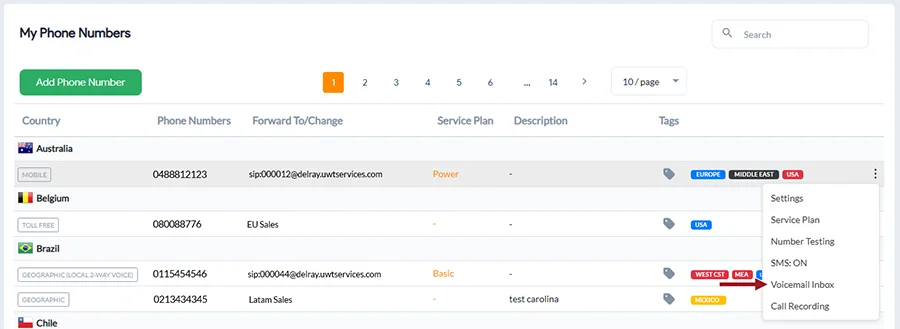
3. Click the 3 dots to the far right and select Voicemail Inbox corresponding to the line that you would like to access voicemails.
Related: How to Configure Voicemail
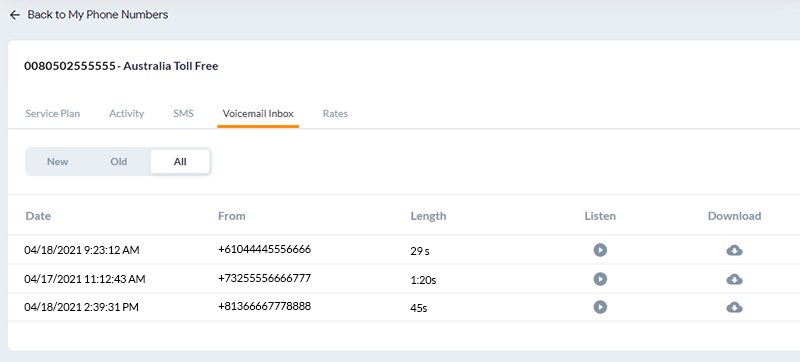
You can also delete all voicemails and transcripts by clicking the Delete all Voicemails button or individual recordings in the Voicemail Inbox tab.