
Need to report a problem with the service? You can submit a support ticket either through the control panel or the softphone. You can also contact tech support via Live Chat.
1. Log in to the control panel. On the left-hand side of the page, click Support Tickets.
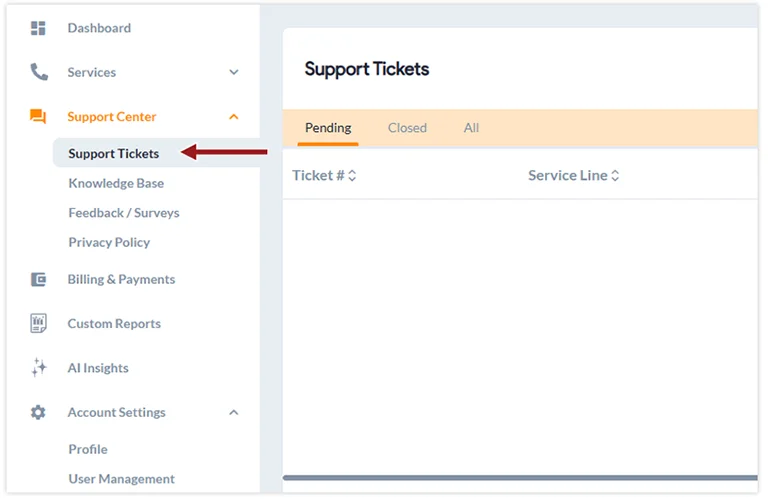
2. On the right-hand side of the page, click on Open a Support Ticket.
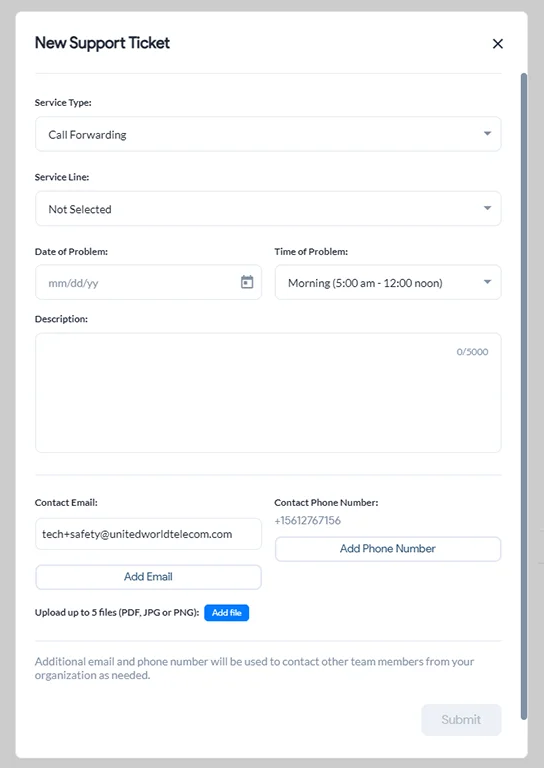
3. Select the Service Type, Service Line, and enter the relevant information. Then, click Submit.
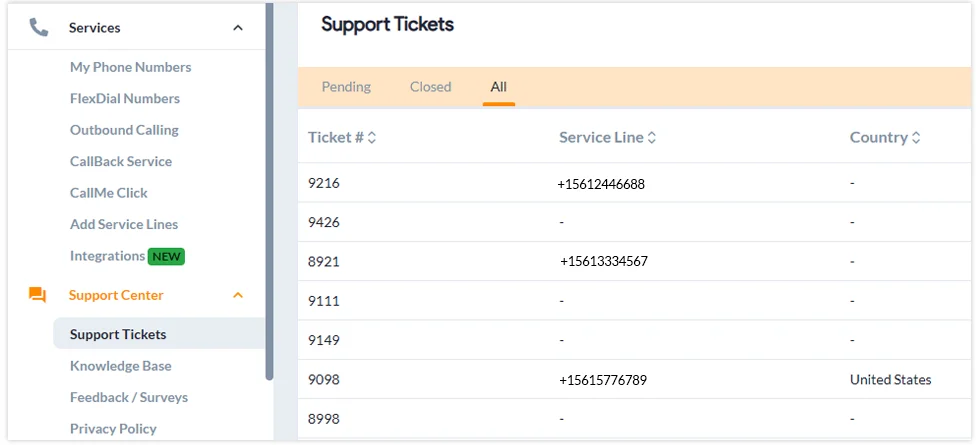
You can also come here to check the status of a support ticket.
To open a support ticket through the GCF softphone app:
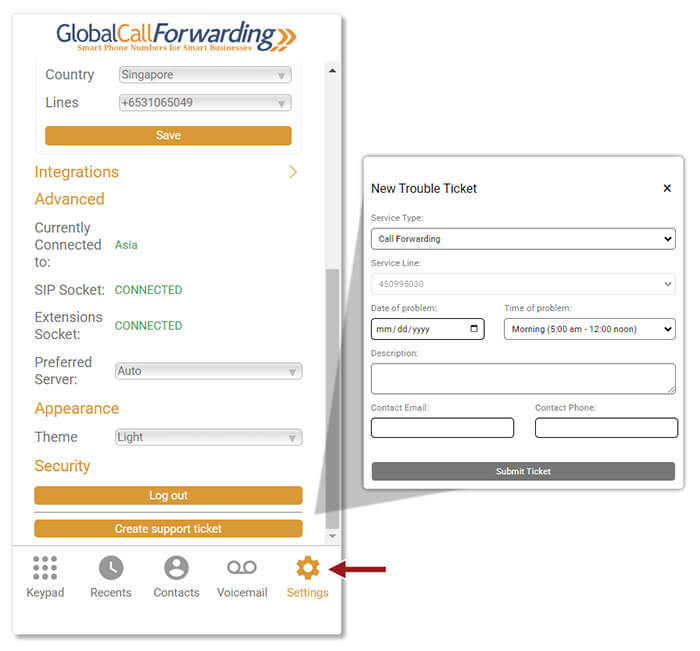
1. Log in to your softphone app and click on Settings.
2. Scroll down and click on Create Support Ticket and enter all relevant information.
3. Then, click Submit Ticket.
Support will be in touch with you as soon as possible to troubleshoot the issue.